
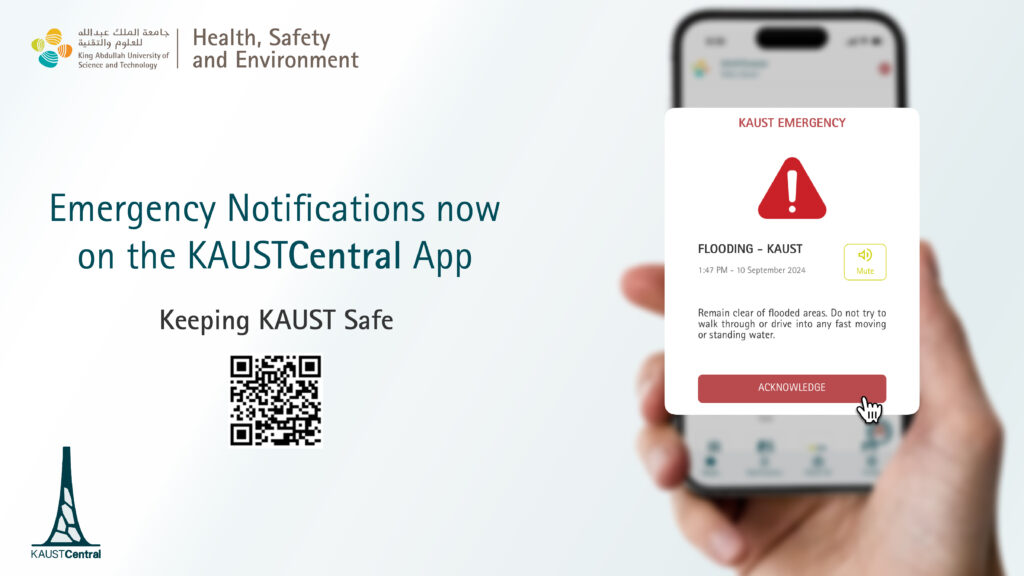
To keep the community updated during emergencies, HSE uses the KAUSTCentral app to send alerts. These alerts are carefully managed and used only when needed.
How alerts work
Emergency notifications appear as a pop‑up message with a distinct alert sound. You can mute the sound while reading, and you must acknowledge the message before it closes.
What you need to do
Download the KAUSTCentral app from the App Store or Google Play and log in with your KAUST credentials so that alerts can reach you.
- Install and log in

- Enable Critical Alerts / emergency notifications
Turn on Critical Alerts / emergency notifications for KAUSTCentral in your phone settings so emergency messages can reach you even if your device is on Do Not Disturb.
Emergency website
KAUST has a dedicated emergency information site at https://emergency.kaust.edu.sa. This official site provides current alerts, leadership updates, FAQs, and safety guidance during critical situations.
Key emergency tools
- Tap the 911 icon in KAUSTCentral to call KAUST Emergency Services directly, or dial 911 from a KAUST landline.
- If you dial 911 directly from a mobile phone, the call will go to the Makkah Regional Government 911 center, not KAUST 911 so be sure to dial +966 012 808 0911 from mobile phones.
- Use the Emergency Action Guide, useful contact list, and emergency kit information in the app to prepare and respond safely.
Thank you for helping to Keep KAUST Safe by enabling emergency notifications and bookmarking the emergency website.